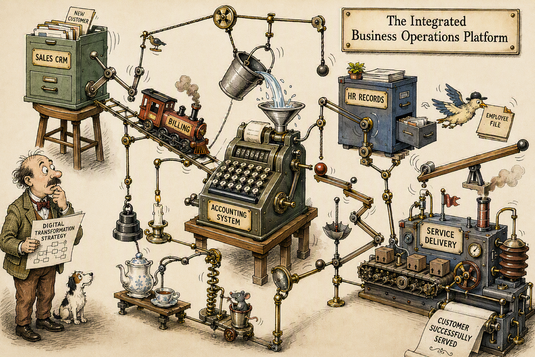
Companies often adopt the most suitable software apps for each function, then find the apps won’t communicate with each other. Learn how ‘bricolage’—using software ‘glue’ to integrate them—can help.
A successful local company recently had plans to upgrade their software systems. They had a patchwork of different online and desktop accounting systems, customer relationship management software, bespoke business software, banking platforms, payment systems and other applications. My client wanted, first, a dashboard overview for the business, and second, to reduce the amount of effort staff were spending transferring information between the disparate apps. They asked me for advice.
A common approach in such a situation is to replace everything with a single-supplier system like SAP, Microsoft Dynamics or Zoho. But when I looked at my client’s existing applications, I found much effort had gone into configuring them to do what the business required. It was clear that a move to different software would be very painful, require a good deal of retraining and relearning, and probably deliver little real benefit.
Instead, I thought of James Noble and Robert Biddle’s maverick ideas about post-modern programming, and I wondered if something like that would do the job instead. Could we achieve the desired improvements by ‘gluing’ the existing applications together rather than replacing them? The apps were all either online or accessible from staff workstations. Applications can exchange information through application programming interfaces (APIs), export files in structured formats, or present information through consistent screen layouts. And, yes, APIs and consistent structure lend themselves to automation, which is exactly the ‘glue’ we were looking for.
So, we studied the systems and how the staff use them, looking for forms of automation to achieve what was wanted. For example, matching payments to billing was labour-intensive; could we automate it by connecting the payment system to the accounting system? Could a dashboard show the current bank balance?
And with a remarkably small amount of effort, we found that we could indeed automate many of the connections between the systems. The time saving was so effective that my client needed one full time staff less on administration—an extra member for the sales team!
Here are some of the ‘bricolage’ techniques we used. Each enables data movements between a ‘source’ application and a ‘target’ application.
- Service-based linking. Many apps provide built-in integration. For example, accounting packages such as Xero can automatically import transactions from banking services; and many apps integrate with mail systems. Such integrations generally work very well, since they are supported by app providers.
- Human-enabled automation. Many services allow a user to manually download reports or summaries in a structured format such as comma-separated values (CSV), spreadsheets, or Javascript Object Notation (JSON). You can create a script to change these to a format for input to the target system. For this, the ‘programming’ becomes training and a checklist of instructions for the operator, along with scripts to run and configuration. This approach can significantly reduce effort for routine processes that only need to run daily or weekly. For example, your accounts package might deliver a CSV file of current balances to munge and upload to the dashboard package.
- AI-supported human automation. Sometimes the best you can get from an app is not as obviously usable: images like PDF files or screenshots. For these, you can define a prompt to make generative AI interpret the image, select the correct data and deliver it in a structured format. This approach requires appropriate governance—is it acceptable to upload data to an AI service, for example? It also requires validation of results, since generative AI makes mistakes.
- Background integration processes: For more continuous links between services, you might create a software service that runs in the background. For example, a service might continuously poll an order system for the last few orders, compare the list with an internal cache, and pass each newly received order to the target system. Such services need to be carefully designed: to handle changes and cancellations, for example. But they can be very powerful in speeding processing and saving staff effort.
- Modifying web pages: Often what staff do frequently is to go from a reference on one web-based app, such as an account number, to the corresponding entry on another. It can be straightforward to write a browser plugin to turn references on the source webpage into direct links to the corresponding entry on the target system.
These techniques, along with several others, provide effective ways of linking existing systems without the cost, disruption and risk of major platform replacements. Each has variants and ‘gotchas’, but between them they are effective at delivering substantial business benefits.
Could you bricolage your systems?
-- Charles